Starting to study is often harder than studying itself. You sit down, the notes are open, the phone is somewhere nearby, and yet the “I’m starting now” moment never quite arrives. Half an hour later you are still deciding where to begin.
The “study flight” trend that has been circulating on social media lately speaks directly to that problem: pick a country, then study for as long as a flight to that country would take. It sounds like a small game, but it changes something in your brain. You are not choosing the duration; the wheel is. And a little curiosity — “where am I flying today?” — slips into the session.
We turned that idea into a one-click tool: Study Flight. Spin the wheel, and the estimated flight time to the country that comes up becomes your study block. You can work in one continuous block in Classic mode, or split the session into focus and break segments in Pomodoro mode.
What is Study Flight?
Study Flight is a free tool that puts a country wheel and a study timer on the same screen. The logic is simple:
- Check your departure country (it is usually guessed correctly).
- Spin the wheel.
- The estimated flight time to the country that comes up becomes your study block.
- Press “Start flight” and the timer begins.
That’s it. No sign-up, no list to prepare, no extra app to install. A browser on your phone or laptop is enough.
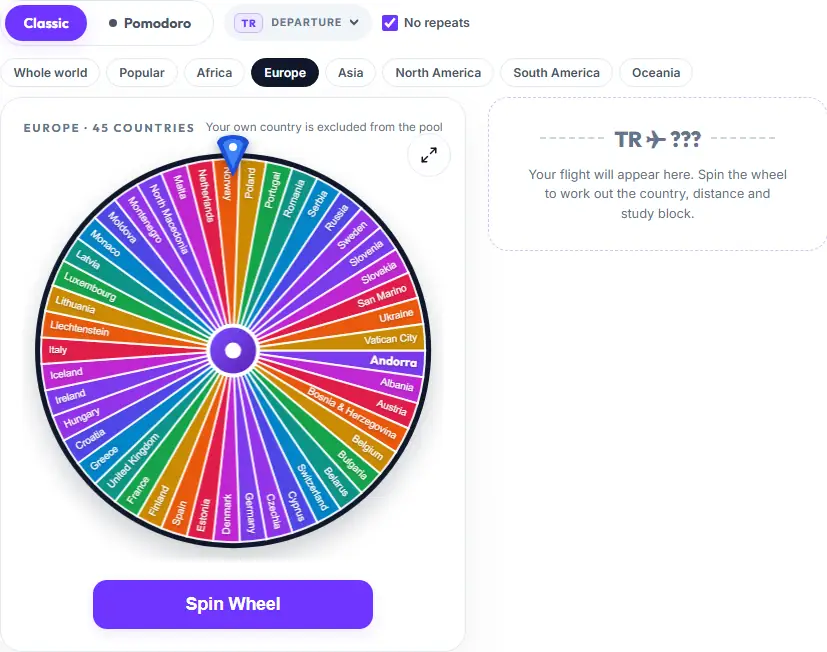
How it works in three steps
1. Check your departure point
The tool guesses your country from your browser language and time zone. If the guess is wrong, you can change it with one click. Your own country is always removed from the pool, so the wheel always sends you somewhere else. That small detail avoids the “same origin, same destination” feeling.
2. Spin the wheel
You can choose the whole world, a curated set of 36 popular countries, or one of six regional pools: Africa, Europe, Asia, North America, South America, and Oceania. With “No repeats” enabled, each country that comes up is removed from the pool, so every spin brings a new destination. When the pool is exhausted, you can reset it with one click.
3. Start the flight
When the wheel stops, a boarding pass opens: origin and destination, distance, estimated flight time, and your study block. Press “Start flight” and the timer starts immediately. The wheel locks while the flight is in progress, so there is no “should I spin again?” distraction in the middle of a session.
One click from wheel to timer
The best part of Study Flight is how much it removes from the middle. Normally, the “study for the flight time” idea requires three steps: choose a country, look up the flight duration, then set a separate timer on your phone. Each step is a chance to leave the desk.
Here there is one flow: spin, see the duration, start. The duration arrives already calculated; all you have to do is accept it. Sometimes the biggest motivation boost is not having to make another decision.
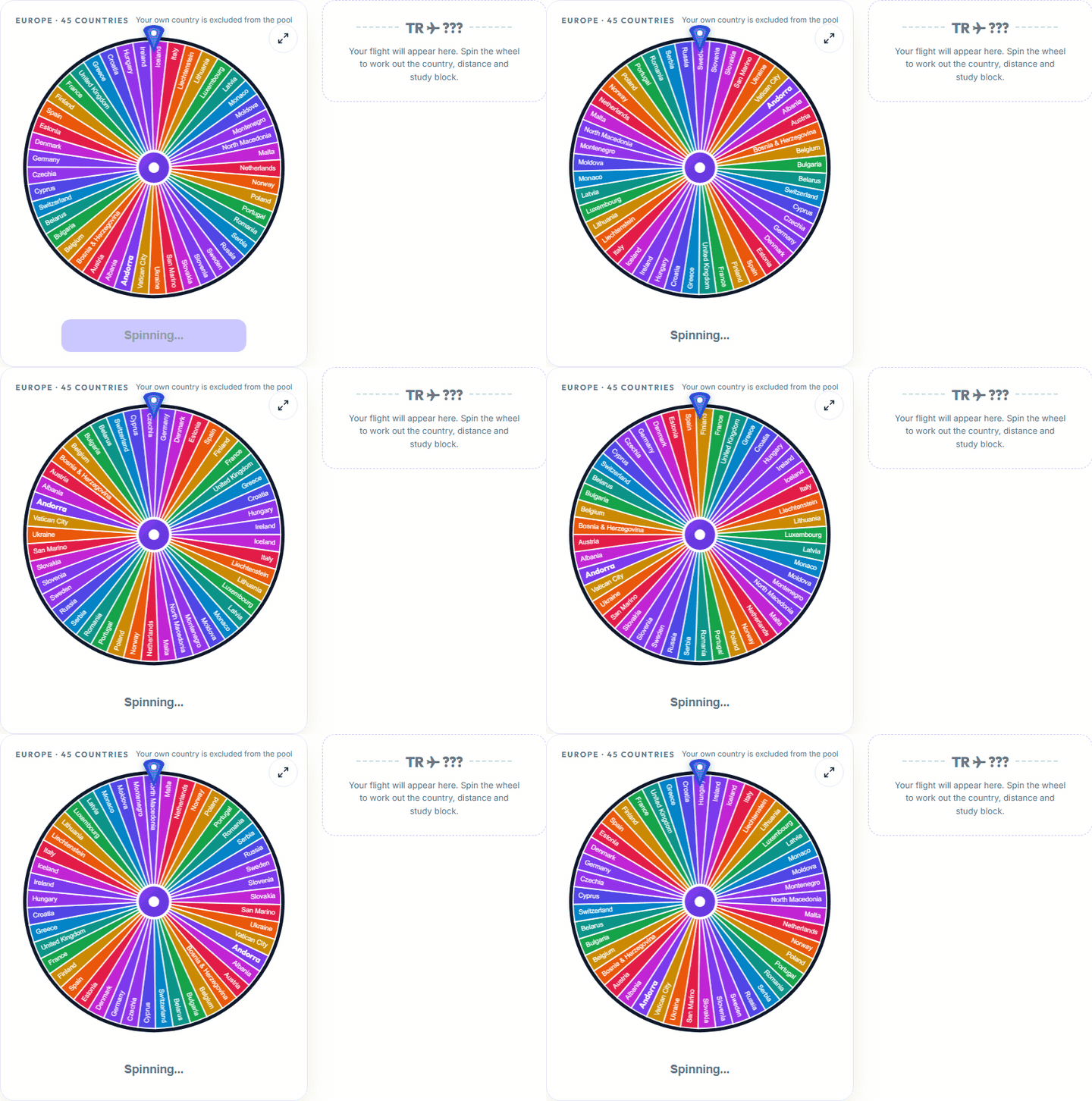
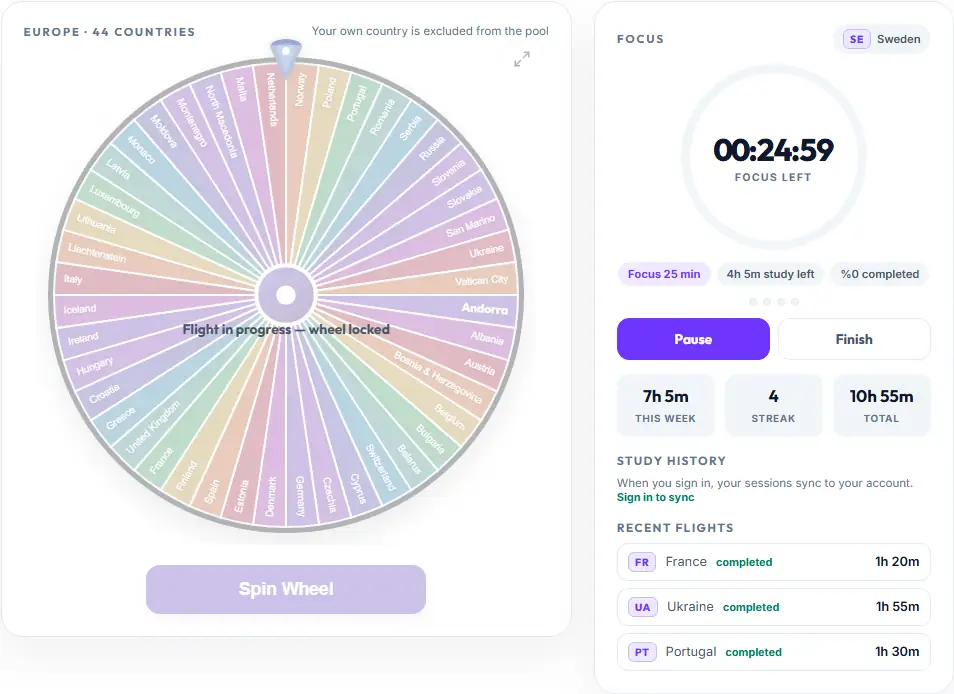
Once the flight starts, the wheel locks. It may look like a restriction, but it is one of the most useful parts of the tool: you do not lose focus wondering whether another country would have been more fun. Until the timer runs out, there is only one thing to do: study.
How the flight time is calculated
The tool calculates the great-circle distance between the two countries’ center points. It then adds an average cruise speed of 800 km/h and a 30-minute take-off and landing allowance. The result is rounded to five minutes and never goes below 30 minutes. So even a nearby country gives you a usable study block.
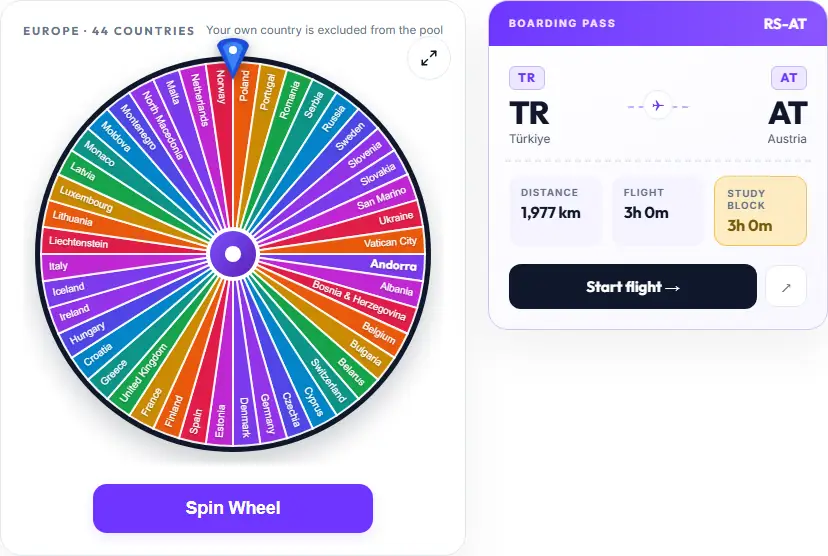
One honest note: this is an estimate based on distance, not a real airline schedule. The goal is not to plan a trip; it is to give you a consistent, predictable, excuse-free study block. The same country pair always produces the same duration, so the number never feels arbitrary.
Pomodoro mode: from 25/5 to your own rhythm
Classic mode treats the whole flight as one block. That is great when you want a long, uninterrupted stretch of focus. But starting a two-hour block every day can be hard. That is where Pomodoro mode comes in.
In Pomodoro mode, the flight is divided into focus and break segments. The defaults are 25 minutes of focus, a 5-minute short break, and a 15-minute long break at the end of each round. All of it is adjustable:
- Focus length from 1 to 120 minutes.
- Short break from 1 to 60 minutes; long break from 1 to 90 minutes.
- How many rounds before a long break.
- Pause, resume, or finish the flight at any time.
The timer runs on an absolute deadline, so switching tabs, opening another app, or locking your phone does not make it drift. When you come back, it is exactly where it should be.
Which country pool should you choose?
The pool is really a shortcut for choosing the session length. Want a short session or a long weekend marathon? Change the pool.
| Pool | Typical duration | Best for |
|---|---|---|
| Europe | 1-5 hours | Daily study, homework, language practice |
| Popular 36 | 1-14 hours | Variety and medium-to-long sessions |
| Whole world | 30 minutes - 15 hours | Deep work and weekend marathons |
| Asia | 1-12 hours | Medium and long blocks |
| Americas / Oceania | 8-15 hours | Long, uninterrupted blocks |
If you are flying from Türkiye to Europe, most draws land between one and five hours. That is a comfortable daily range. If you are asking “how much should I study today?”, start with the Europe pool. Move to Popular or the whole world when you feel ready.
Stats and study history
Study Flight is not just a timer; it is also a small motivation board. When a flight ends, the session is written to your history and you see three numbers:
- This week: total study time completed in the last seven days.
- Streak: how many consecutive days you have completed at least one flight.
- Total: all-time study time.
You can also see your recent flights — which country you “flew” to and for how long. At the end of a week, that list shows your progress in a way a vague feeling cannot.
Your data stays on your device by default. If you sign in and enable sync, your flights are saved to your account and appear on your other devices. If you prefer, you can keep using the tool entirely locally.
Who is it for?
Study Flight is designed for people who want a small push to get started:
- University and high-school students who want a concrete answer to “how much did I study today?”
- Remote workers who struggle to mark a clear start and end to the working day.
- Language learners building small, regular blocks such as 45 minutes of vocabulary or an hour of listening.
- Teachers looking for a fun timer for a short focus activity in class.
- Writers and makers who want to lock onto one task — a draft, a reading session, an edit.
The common thread is simple: anyone who would rather start small than wait for the perfect plan.
Seven small settings that improve focus
Opening the tool and spinning the wheel is easy. The difference comes from how you use it. Here are a few settings and habits that work for us:
-
Start with a short flight. Instead of a four-hour flight on day one, begin with a 45-90 minute destination. The goal is consistency, not a record.
-
Prepare the desk before the spin. Have your book, notebook, water, and headphones ready. Saying “I’ll just grab one more thing” after the spin is the classic way to lose focus.
-
Put the phone out of sight. Even if the timer runs on your phone, turn it face down and move it away. Checking every notification is like leaving the route in the middle of a flight.
-
Adjust Pomodoro to your rhythm. 25/5 does not suit everyone. 40 minutes of focus and an 8-minute break can work just as well. Find the rhythm you can sustain.
-
Leave “No repeats” on. A new country each time keeps curiosity alive and stops you from getting stuck on the same duration.
-
Do not chase the longest flight. A consistent hour often produces more work than a scattered six-hour day. Let the goal, not the timer, set the length.
-
Review the weekly numbers. Looking at “This week” and “Streak” on Sunday evening is the fastest way to plan the next week. Even a small increase lifts motivation.
Frequently asked questions
Is Study Flight free? Yes. You can use it without an account or payment details.
Do I need an account? No. The tool works entirely locally. An account is only needed if you want to sync your flights across devices.
Is the flight time real? No — it is an estimate based on distance. It is not a real airline schedule; it is a study block sized for you.
How many countries are there? Every country in the dataset. Only your own country is excluded from the pool, so you always fly somewhere else.
Why does the wheel lock during a flight? To stop you from changing the duration or destination mid-session. That is what makes the tool work as a commitment device.
Does the timer stop if I switch tabs? No. It runs on an absolute deadline, so it keeps accurate time in the background.
What happens when the flight time runs out in Pomodoro mode? Total focus time equals the flight time. Breaks sit outside that total; when the focus segments are used up, the flight is complete.
Where does my data go? By default, only to your browser’s local storage. If you enable sync, it is saved to your account.
Does it work on a phone? Yes. The tool is designed to work in mobile browsers.
A small closing note
If you are waiting for the right time, the right desk, or the right mood to start studying, that moment often never arrives. Sometimes all you need is a small rule: spin the wheel, fly to the country that comes up, and stop when the timer does.
Open Study Flight, spin the wheel, and start your first flight. It might make the next study session more enjoyable than you expected.
If you prefer a plain countdown, the Stopwatch is there too; and for classroom activities, the Wheel of Names is always within reach.