Typing forty names into a textarea is the tax nobody mentions. You are already late, the giveaway starts in five minutes, and all you need is a list that works. The Fill with AI button in the RandomSelect toolbar removes that step: you describe the list you want, and it appears in the field.
That sounds like a small convenience. In practice it changes what you can build, because it removes the ceiling on list size.
What It Actually Does
Click the AI button in any tool’s toolbar and a prompt opens. Type what you need, press generate, and the entries replace your current list.
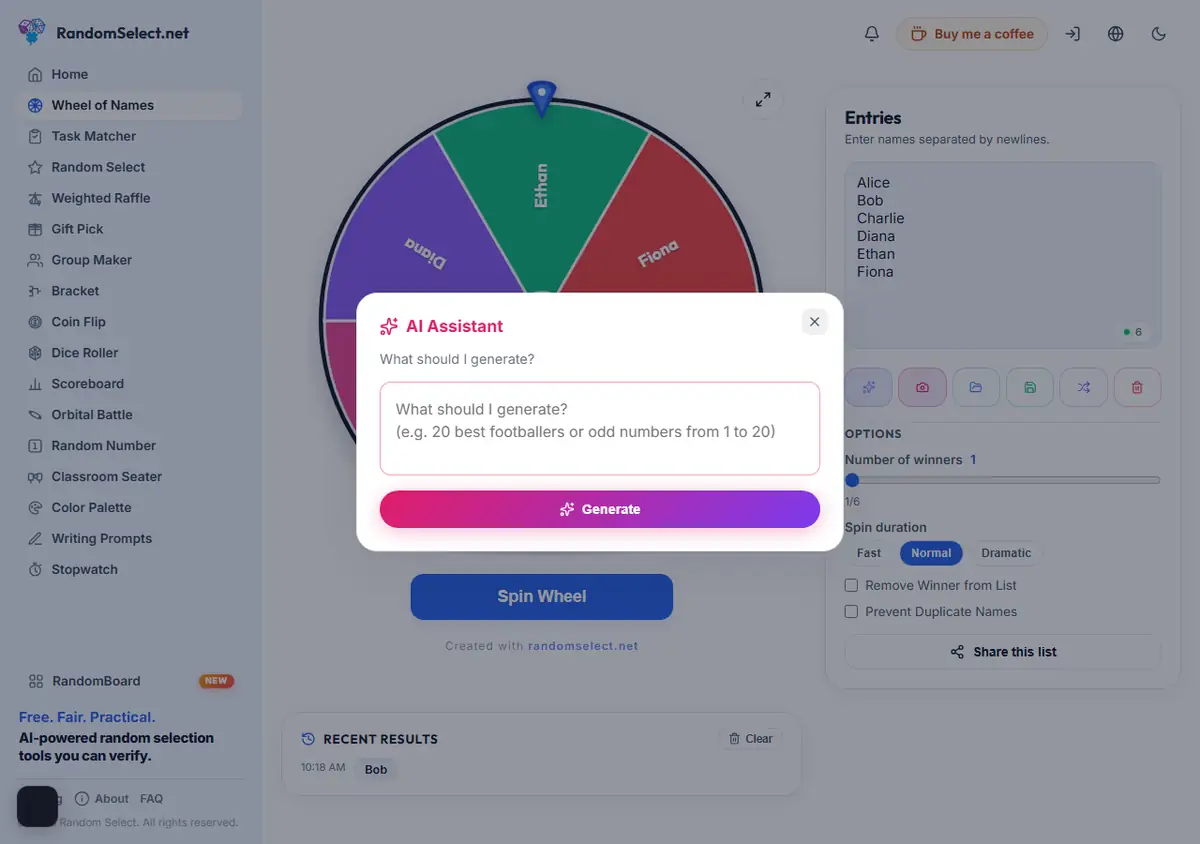
Real examples that work well:
- “List the 27 countries in the European Union”
- “Give me 30 mixed animal names”
- “Weekly office cleaning tasks”
- “Project name ideas for a design agency”
- “Ten team names for a pub quiz”
The pattern is consistent: be specific about the quantity and the type. Ask for “names” and you get a vague mixture. Ask for “30 first names common in Turkey” and you get something usable.
Where It Helps Most
Placeholder lists for testing. Before you commit to a real format, build a 200-name list of dummy entries and confirm your grouping settings behave. This is the single most common use, and it is the one that saves the most time.
Breaking a tie on format. Unsure whether to use the Wheel of Names or the Group Maker for Thursday’s exercise? Generate one realistic list, try both, see which one you would rather show a class. The list is throwaway; the decision is not.
Large pools you would not type. Three hundred names by hand is fifteen minutes of nothing. The same list generated in one prompt costs you a sentence.
Where It Falls Short
The tool generates content, not ground truth. This matters if you are being precise about what you are drawing from.
Do not use it to build the actual participant list for a draw with legal weight. If the winner needs to be legitimate, every entry must be a real entry that a real person made. A generated “Mark Smith” is not a participant; it is a character who happens to have a plausible name.
Similarly, it will not know your specific club members, your classmates, or the names in your customer database. It produces a plausible set, not your set.
There is a second limit worth naming: it writes what a language model considers likely, which means the output skews toward common and international names. For a diverse participant list you already have, it adds nothing.
Getting Better Results
State the count. “20 names” produces twenty. “Some names” produces a paragraph.
State the domain. “Football players from the 1990s” gives you something specific. “Sports names” does not.
Ask for one category per prompt. If you want a list mixing mathematicians and chefs, generate the two separately and merge them. Asking for both at once tends to give you a homogeneous set.
Regenerate rather than edit. If the output is nearly right but off in tone, run the prompt again with a small adjustment. Hand-editing fifteen of thirty entries is slower than trying once more.
What Happens to Your Existing List
Worth knowing before you start: the generated entries replace what is currently in the field. If you have already typed a partial list, save it first or work in a fresh tool.
This is deliberate — merging generated entries into a hand-built list would produce duplicates and ambiguous provenance, and for a draw that is exactly the kind of ambiguity you do not want.
A Fair Warning About Randomness
Generating a list with AI does not make a draw more random, and it is not a shortcut to a “better” result. It only changes how the entries got there.
What determines fairness is the selection itself, and that is handled separately: RandomSelect draws with crypto.getRandomValues(), the browser’s cryptographically secure source, rather than the predictable Math.random() most web tools use. If you want to understand exactly why that matters, the fairness page walks through the whole mechanism.
In short: use AI to build the list. Use the Wheel of Names to make the choice fair.
When Not to Use It
Skip the AI button when:
- The participants are real people who entered themselves
- You need names you already hold in a list, photo, or spreadsheet
- The result needs to be provably drawn from a fixed, published pool
- You are handling personal data you would rather not transmit anywhere
For that last point: the generated text goes to a language model, so treat the prompt as something you would be comfortable seeing in a third-party log. Type “30 vegetables” not anything containing participant details.
Practical Tip
If you are building a list you will reuse, save it rather than regenerating it. Saved lists survive a browser clear and let you re-run the draw with different settings — same participants, different question — which is often what you actually want when comparing options.
Ready to try it? Open any tool, click the AI button in the toolbar, and describe your list. It takes one sentence.