Forming teams takes ten minutes of negotiation and produces a result at least one person is unhappy with. Randomising it takes ten seconds and produces a result nobody can complain is rigged — provided you configure it correctly, which is where most mistakes happen.
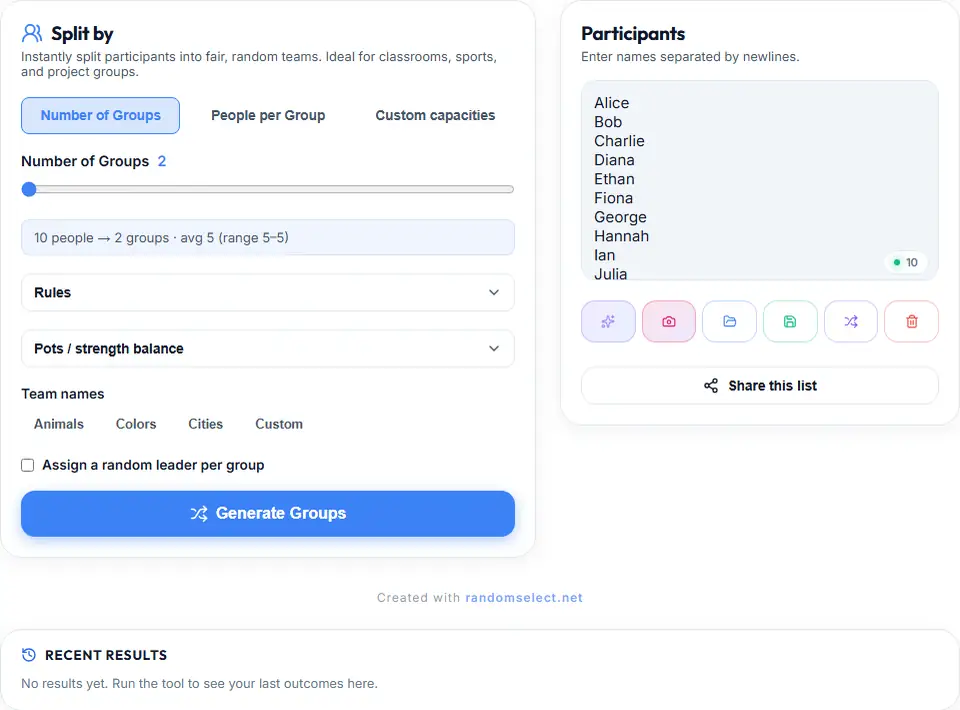
The Group Maker does the shuffling and balancing. This guide covers the settings that decide whether the result works.
Choosing the Split Mode
There are two ways to define a split, and picking the wrong one is the most common mistake people make.
Number of groups. You state how many groups you want and the tool divides as evenly as it can. Thirty people into five groups gives exactly six each. Correct when you know the group count and can tolerate an uneven remainder.
People per group. You state how many people belong in each group and the tool calculates the group count. Correct when every group must be identical — project teams of four, breakout rooms of three.
For classroom work the second is the right default. A student left in a group of three because twenty-nine does not divide by four is a thing that gets remembered.
The Three Balance Rules
Random is the default and a pure shuffle. Fair in the mathematical sense, but it can produce groups differing by one or two people, and occasionally something noticeably smaller. Fine for games. Not fine for a graded project where someone will count heads.
Pot balance deals participants into pots so group sizes stay within one of each other, then distributes. The result is always near-even and the randomness is preserved — it simply cannot produce an unfair split. Use it for anything with a shared deliverable.
Sequential preserves your original list order and cycles through groups. This is not random at all; it exists for roster-order distribution, such as lab partners rotating across a term.
Where Random Grouping Is Genuinely Unfair
This is the part worth knowing before a workshop rather than after one.
Random is blind to ability. A purely random split of a group with one exceptional performer produces one unworkable team. The fix is to seat the two or three people you know are strongest into separate groups first, then draw everyone else. The tool cannot do this for you because it has no ability data.
Random does not consider existing relationships. Sometimes the best pairing is the two people who have not worked together. Sometimes they are already close and the pairing wastes a slot. There is no setting for this; decide which way you want it and accept the consequences.
Random is not neutral about subgroups. Randomising across a whole room draws mostly from whichever subgroup is larger, every time. If composition matters, randomise within subgroups instead of across the whole pool — randomise within each year group, or within each skill band, rather than treating thirty people as one undifferentiated list.
Random does not consider logistics. Splitting a team across buildings, timezones, or shifts produces groups that cannot meet. Remove the impossible combinations before drawing.
Setup Mistakes That Ruin the Result
Drawing before the roster is verified. Check the entry count against your actual list. A missing person cannot be added once groups exist, and they will find out in front of everyone.
Not cleaning up duplicates. “Rovers U16” and “Rovers U16 (B)” will end up in two different groups. Same for people registered under two spellings of their name. Deduplicate first.
Rearranging afterwards. If you swap people to fix a balance problem, you have reintroduced the judgement the draw removed — and now the draw is the thing people distrust. Fix the settings and redraw, in front of everyone.
Naming groups “Group 1”. Numbered groups create an ordering that named ones do not. Presets are available — animals, colours, cities — or you can name them yourself. “The Falcons’ presentation” is a sentence that works; “the second one’s presentation” produces a conversation about order.
Skipping the leader toggle. A group with no designated leader either waits for a volunteer or lets whoever speaks first decide. Random leadership distributes that informal authority, which is most of the benefit of randomising in the first place.
Getting the Result Out
Once generated, the groups can be exported as CSV or XLSX, copied as plain text, or printed. The export is worth doing every time: a written allocation survives a corridor conversation that a spoken one does not.
For a group split where each person needs their own allocation rather than a group roster, Task Matcher is the right tool — it pairs two lists against each other and reports anything unassigned instead of dropping it silently.
Where It Is Used
Classroom projects. The strongest case, because it removes the “I want to work with my friend” negotiation entirely and produces mixed groups by default.
Intramural sport. Balanced random teams work when nobody knows everyone’s ability well. Use the Tournament Bracket if you need elimination rounds instead.
Workshops and training. Splitting a department into mixed squads for a session. The group names make referring to one afterwards straightforward.
Board game factions. Assigning sides, colours, or starting positions. Where the setup method itself matters for fairness — some games give first-player advantage — randomising it is the honest fix.
What the Draw Actually Is
Groups are formed with a Fisher-Yates shuffle, which produces an unbiased permutation without modifying the original list. The random source is the browser’s cryptographic generator rather than Math.random(), which is deterministic and can in principle be reconstructed to anticipate results. The fairness page covers the mechanism.
Start With One Split
Paste your roster, choose people-per-group, turn on pot balance, name the groups, and generate. Then check the actual headcount before you announce it.
The checking is not optional. It is the difference between a result people accept and a correction you have to make in public.